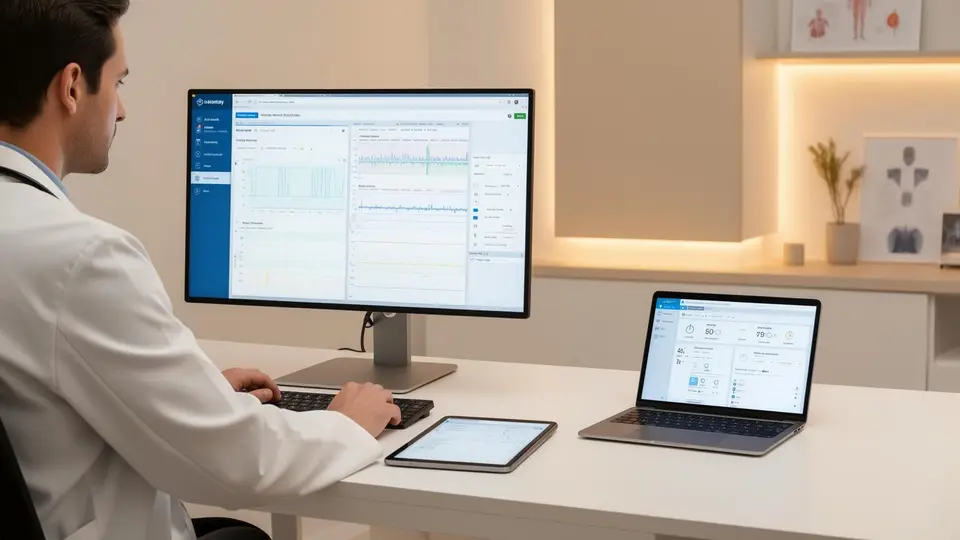
Before buying DPC software, decide who will handle enrollment, billing follow-up, and patient communication.
That may sound backward. You are opening a medical practice, and an EHR feels like an obvious early purchase. But the software decision becomes easier once you know how the practice will operate.
Think about a Tuesday afternoon. You are seeing patients. A prospective member has a question, an existing member's payment has failed, and a lab result needs follow-up. Where does each item go? Who handles it? How do you know it was resolved?
That is the standard to bring into a software demonstration.
The right DPC software supports your clinical work, membership model, and daily responsibilities. Five options to evaluate are Hint Health, Elation Health, Atlas.md, DocVilla, and DrChrono. The right fit depends on the configuration you buy and the workflows you need.
Start With the Work
Write down the basic patient journey before comparing products: inquiry, enrollment, first payment, appointment, clinical care, follow-up, and renewal or cancellation.
For each step, identify the person responsible and the information they need. Then ask vendors to demonstrate that journey.
"Integrated" deserves particular attention. It might mean information moves automatically between systems. It might mean only certain fields synchronize. Ask what happens when something changes or fails.
A connection that creates a patient record is useful. You still need to know what happens when that patient changes their membership, updates their information, or leaves the practice.
Five Software Options Worth Evaluating
This guide draws on vendors' published information. It is not a hands-on product ranking. Features, packages, and contract terms should be confirmed in your proposal.
Hint Health and Elation Health are listed in the Freedom Healthworks Partner Network. We disclose those relationships because they matter when evaluating our perspective. Network participation does not make either product the right choice for every physician.
| Vendor | Documented capabilities | What to establish in your demo |
|---|---|---|
| Hint Health | Memberships, billing, payments, and clinical tools | How your proposed configuration handles the full membership lifecycle |
| Elation Health | Clinical documentation, membership tools, payments, and clinical integrations | Which system owns each function when other products are connected |
| Atlas.md | Direct-care charting, subscription billing, communications, and scheduling | How your clinical and administrative workflows fit together |
| DocVilla | EHR and DPC subscription billing | Which plan includes the functions you need and their full cost |
| DrChrono | EHR, mobile clinical workflows, and patient portal | How recurring memberships will work alongside its clinical tools |
Hint Health
Hint's published offering includes membership management, recurring billing, payments, and clinical tools such as charting, scheduling, and patient communications. Establish which package applies to your practice, particularly if you plan to use a separate EHR. Hint product information
For a DPC practice, the useful demonstration goes beyond collecting the first payment. Ask to see a family enrollment, a failed charge, a membership change, and a cancellation. Add an employer-sponsored member if employer relationships are part of your plan.
Ask: "What happens automatically, and what will someone in my practice need to review or complete?"
Elation Health
Elation's DPC offering describes clinical documentation, membership tools, payments, e-prescribing, and lab interfaces. It also documents patient synchronization with Hint. The specific combination you select matters more than a general statement that the products integrate. Elation DPC offering, Hint integration documentation
Bring a realistic clinical encounter to the demonstration. Follow the note, prescription, lab order, result, and patient follow-up. Then examine where membership information appears and how it is maintained.
Ask: "Which system is the authoritative record for membership status, and what happens when information changes?"
Atlas.md
Atlas.md is designed for direct care and subscription practices. Its published features include charting, billing, patient communications, scheduling, prescribing integrations, and support for additional providers and locations. Atlas.md product information
Evaluate the workflow as a whole. A patient message may lead to an appointment, a prescription, or another task. Watch how that work moves through the system and how your team can see what remains unfinished.
Ask: "Can we complete our common patient workflows here, and where would we need another tool?"
DocVilla
DocVilla describes DPC subscriptions, recurring payments, and automatically generated invoices alongside its EHR, telehealth, messaging, and patient portal. Its DPC page identifies subscription functionality as part of its Gold Plan. DocVilla DPC features
Start with the configuration and quote. Have the vendor demonstrate the functions included in the package you would actually purchase, including payment exceptions and cancellations.
Ask: "Which subscriptions, processing charges, integrations, and implementation costs are outside this proposal?"
DrChrono
DrChrono documents iPad workflows for charting, scheduling, prescribing, and messages. Its OnPatient portal supports appointments, communication, and access to health information. These are useful capabilities to evaluate, but membership billing needs its own demonstration. DrChrono mobile documentation, OnPatient overview
If mobile charting appeals to you, test it during a realistic encounter. Then give the business workflow equal attention.
Ask: "Show me exactly how recurring memberships, failed payments, cancellations, and membership reports work in this setup."
Give Every Vendor the Same Assignment
Use a fictional patient and ask each vendor to complete six tasks:
Take notes on manual steps, duplicate entry, and unclear responsibility. Those details deserve as much attention as the features that look good on screen.
Ask who handles implementation, what training includes, and what support looks like after opening. Get those answers in writing.
Where the FH Partner Network Fits
Your EHR is one part of a larger set of operating relationships.
The Freedom Healthworks Partner Network includes suppliers across categories such as labs, pharmacy, imaging, software, equipment, and vaccines. That context matters when you choose technology: the practice needs a workable process across the suppliers it actually uses.
For example, ask how results from your chosen laboratory reach the clinical record. Confirm how patient communications are documented. Identify who follows up when information does not arrive.
A supplier's presence in our directory does not establish that it integrates with every other supplier. Confirm the specific connection, implementation requirements, and responsibility for resolving problems.
Partner Network access is included in each Freedom Practice System tier. Third-party charges, eligibility, and supplier terms still apply.
Where Freedom Healthworks Fits
Freedom Healthworks helps physicians launch and operate independent practices through the Freedom Practice System. Our role is an operating partnership, with responsibilities defined by the selected tier and signed agreement.
That distinction matters when you are budgeting and deciding how much work you want to manage yourself.
Software may flag an unpaid balance. Someone still needs responsibility for reviewing it and following up. A patient inquiry may arrive through your website. Someone needs to respond and move the conversation forward.
During planning, those responsibilities should be explicit: what your practice handles, what Freedom handles, and what remains with another vendor.
Our Practice Launch Program coordinates the agreed launch work. Our practice management services address defined ongoing operating responsibilities. The physician retains ownership and clinical authority.
For a function-by-function view of the systems a practice runs on, see what a DPC practice actually runs on and our DPC EMR selection framework.
Questions to Resolve Before Signing
Should I keep an EHR I already know?
Include it in your evaluation. Familiarity has value, but test its fit with your membership workflow and proposed operating setup. Document any migration, integration, or manual work required by either choice.
How do I compare the real cost?
Request subscriptions, processing fees, implementation, migration, interfaces, training, and exit or export charges. Compare equivalent configurations rather than advertised starting prices.
How long will setup take?
Request a written implementation schedule with dependencies and assigned responsibilities. Software setup is one part of the broader practice launch; the two timelines should not be treated as interchangeable.
What should I know about leaving a vendor?
Ask what data you can export, in which formats, at what cost, and how long access remains available after termination. Include clinical records, attachments, messages, and financial information in that conversation.
Choosing software should leave you with a clearer picture of how your practice will run. Before signing, you should understand the tools, the costs, and who owns the work.
*This article is informational and is not legal, medical, or financial advice. Vendor features, packages, pricing, and contract terms change and vary by configuration; confirm all details directly with each vendor and with your own counsel and advisors.*
Request a practice consultation to discuss your model, timing, and operating responsibilities.
Christopher Habig
CEO, Freedom Healthworks
Christopher Habig is CEO of Freedom Healthworks and host of the Healthcare Americana podcast. He works with physicians launching and operating independent, physician-owned practices.
Learn More About Our Team